Get Listed
My school is already listed — how did that happen?
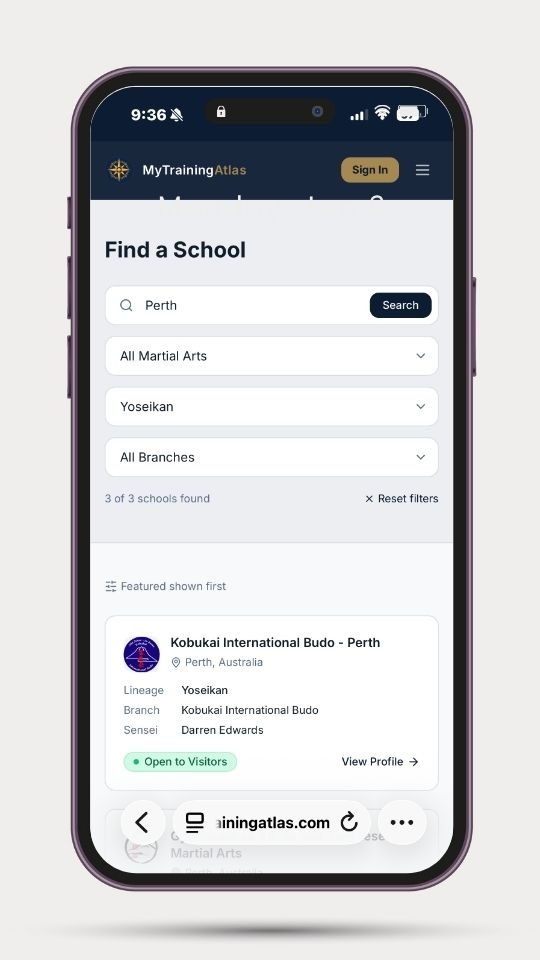
My Training Atlas imports schools from public sources to build a useful directory for travelling practitioners. Your school may have been added by a traveller who wanted to train with you, or imported as part of our initial directory build. The listing contains only publicly available information. You can claim it and take full control of what appears.
How do I claim my listing?
Find your school in the directory at mytrainingatlas.com, click "Claim this listing →" and enter the email address associated with your school. We'll send a secure link to that address. Click it and you'll land directly in your workspace — no password required. It takes about five minutes to complete your profile.
What if the email address on the listing is wrong?
Contact us at claims@mytrainingatlas.com and we'll update it so the verification link reaches you.
How do I add my school if it's not listed?
Go to mytrainingatlas.com and click "Add a school →". You'll be guided through adding your school details. Once submitted, a workspace link is sent to the contact email you provide.
I submitted my school but didn't receive the workspace email. What do I do?
Check your spam or junk folder first. If it's not there, go to mytraining
Lineage Matching
What is lineage matching and why does it matter?
My Training Atlas matches travellers to schools by lineage, not just by art. A Yoshinkan Aikido practitioner finds Yoshinkan schools — not every Aikido school in a city. This means the travellers who find you are practitioners of your specific tradition, not random enquirers.
What if my school teaches multiple arts or lineages?
You can list multiple arts and lineages in your workspace. Each art has its own tab with its own settings, class schedule, and visitor requirements.
What if my lineage isn't listed?
Contact us at claims@mytrainingatlas.com and we'll add it. The taxonomy is growing as schools join the platform.

Conduct and Trust
How does My Training Atlas handle traveller conduct?
Travellers who receive negative reports from schools, or who fail to attend without cancelling, receive a formal warning from the platform. A second report results in account suspension pending review. We take the trust schools place in the platform seriously — your dojo opened its door based on the introduction, and we hold travellers to that standard.
What if a traveller misrepresents their rank or experience?
You retain full authority at your door. If a traveller's actual level doesn't match their profile, you can decline participation in class or ask them to leave. Report the issue through the platform and it will be reviewed.
Who do I contact if something goes wrong?
For introduction or listing disputes: claims@mytrainingatlas.com
For conduct issues: hello@mytrainingatlas.com
For terms and data queries: terms@mytrainingatlas.com
Terms and Data
Where are the terms and conditions?
mytrainingatlas.com/schoolterms
What data does My Training Atlas hold about my school?
School name, location, contact email, instructor name, arts and lineage, class schedule, visitor settings, social links, and introduction history. Your contact email is never shared with travellers or third parties. Full details are in the terms and conditions.
How do I request deletion of my data?
Contact terms@mytrainingatlas.com. Deletion requests are assessed against platform integrity requirements — some records are retained to maintain introduction history and prevent duplicate listings.
How introductions work
The introduction system is built around your time. No login is required. You respond to introduction requests by email, with one click.
Step 1 — A traveller finds your school
They review your lineage, visitor policy, etiquette requirements, and schedule before deciding whether to approach.
Step 2 — They submit an introduction request
This includes their rank, lineage, home school, and proposed visit date. You receive everything you need to make a decision.
Step 3 — You receive an email
No login required. You approve or decline with one click. If you need to propose an alternative date or class, that option is available.
Step 4 — They arrive prepared
They know your etiquette, your schedule, and your requirements before they arrive. Misunderstandings are addressed before they reach the mat.
What this does not do
MyTrainingAtlas does not:
Rank or rate schools
Compare lineages
Display reviews
Require accounts or logins
Replace your existing website or communication channels
Replace your booking systems
It is an introduction system, not a marketing platform

What next?
Search for your school →
If your school is already listed, you can claim and update your listing. If it is not yet listed, you can add it. You can request removal at any time.